

Create a Payment Profile
Important: To process any payments - whether through online ordering, card readers, or other payment methods - you must have a verified Stripe account. We recommend completing this essential verification step at the beginning of your onboarding process.
- Log on to the Back Office. Once signed in, select Settings > Payments
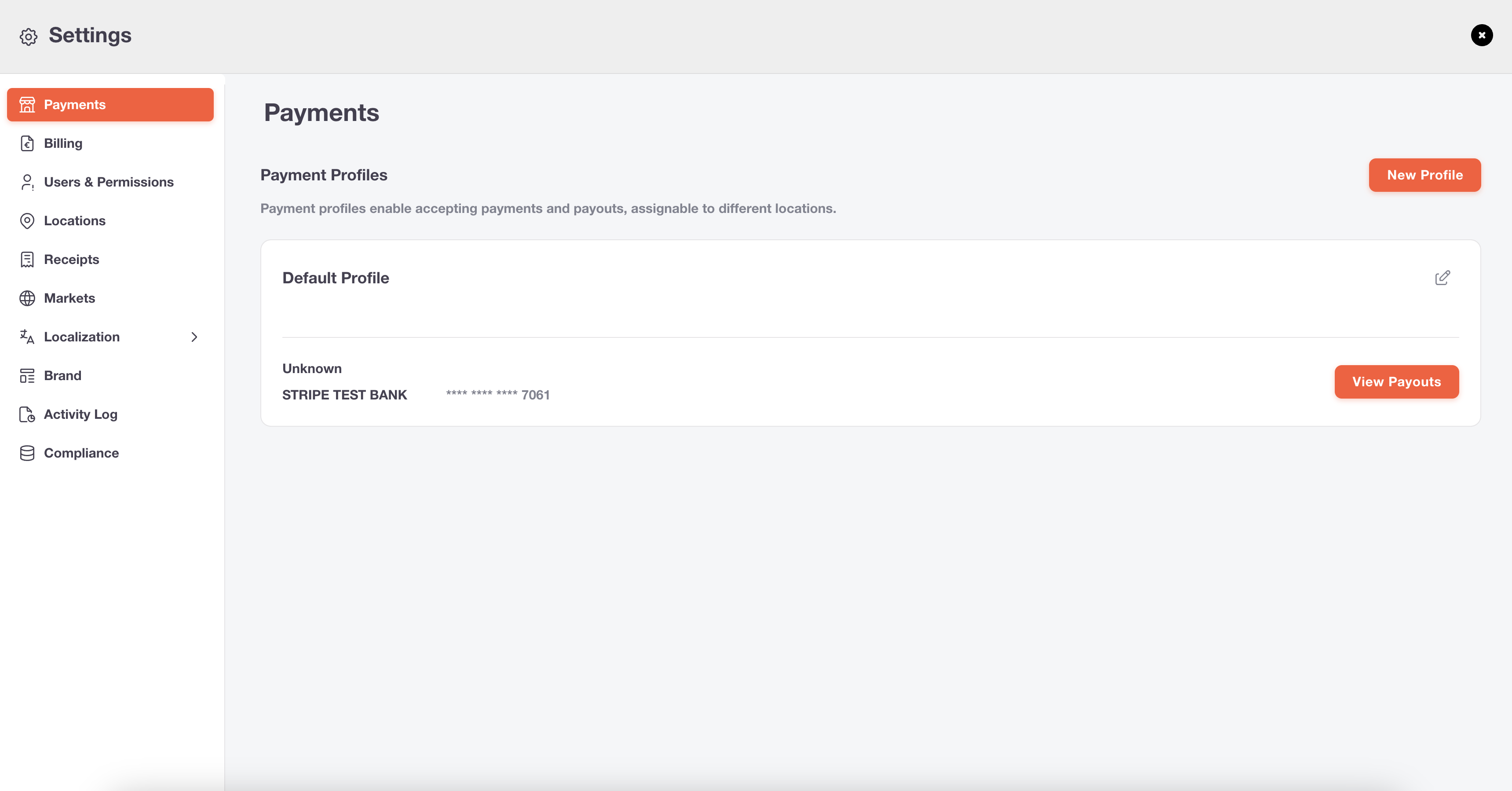
1
Log on to the Back Office
Once signed in, select Settings > Payments
2
Click New Payment Profile
Create a clearly identifiable name for your profile. This profile can later be assigned to a specific location during location setup and will handle all payments for that location’s kiosks, online ordering, and other services. Click Setup Profile to continue.
3
Third Step
These are instructions or content that only pertain to the third step.
Edit and preview
Clone your docs locally
Clone your docs locally
During the onboarding process, we created a repository on your Github with
your docs content. You can find this repository on our
dashboard. To clone the repository
locally, follow these
instructions
in your terminal.
Preview changes
Preview changes
Previewing helps you make sure your changes look as intended. We built a
command line interface to render these changes locally. 1. Install the
Mintlify CLI to preview the
documentation changes locally with this command:
npm i -g mintlify
2. Run the following command at the root of your documentation (where
mint.json is): mintlify devDeploy your changes
Install our Github app
Install our Github app
Our Github app automatically deploys your changes to your docs site, so you
don’t need to manage deployments yourself. You can find the link to install on
your dashboard. Once the bot has been
successfully installed, there should be a check mark next to the commit hash
of the repo.
Push your changes
Push your changes
Commit and push your changes to
Git
for your changes to update in your docs site. If you push and don’t see that
the Github app successfully deployed your changes, you can also manually
update your docs through our dashboard.
Update your docs
Add content directly in your files with MDX syntax and React components. You can use any of our components, or even build your own.Style Your Docs
Add flair to your docs with personalized branding.
Add API Endpoints
Implement your OpenAPI spec and enable API user interaction.
Integrate Analytics
Draw insights from user interactions with your documentation.
Host on a Custom Domain
Keep your docs on your own website’s subdomain.